
American Heritage Girls Brand Portal
Strategy ▾
Brand Platform Messaging Creative Process
Logos ▾
Primary Logos Secondary Logos Usage Guidelines
Design Assets ▾
Colors Fonts Imagery Video Graphic Elements Design Showcase
Branded Experiences ▾
Print Digital
Events ▾
National Event Booths Volunteer-Led Event Booths
Templates ▾
Stationery Email Signatures Presentations Documents Email Headers/AHGfamily Annoucements QuickTakes Video
Skip to content
AHG_2_Color_Horizontal_Logo_on_White
Templates

Email Signatures

Every staff email should carry the same branded signature, including department specific accounts (e.g. marketing@ahgonline.org, etc.). The I.T. Department sets up new signatures through WiseStamp.

Set up your signature in WiseStamp

Request an email signature from the I.T. team. They'll send you a WiseStamp Employee Hub link with a pre-formatted and personalized email to drop into Outlook.

Request an Email Signature from I.T.

What it looks like

Here's an example of the signature WiseStamp will generate once you're set up: your name, title, extension, and email fill in automatically.
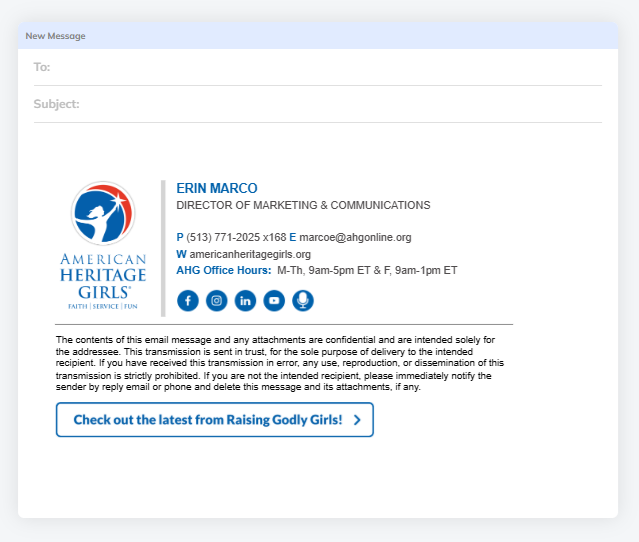
Email Signature example